Ever found yourself in a situation where you desperately need to share your location, only to realize your iPhone 15 is playing hard to get? It’s like trying to find a unicorn in a haystack. You tap the screen, squint at the settings, and wonder if your phone has suddenly developed a secret life of its own.
Common Reasons For Location Sharing Issues
Several factors can prevent users from successfully sharing their location on an iPhone 15. Understanding these common reasons helps identify potential solutions.
Location Services Not Enabled
Location services must be turned on for accurate location sharing. Users should check device settings to ensure this feature is activated. To do so, navigate to Settings, select Privacy & Security, then tap Location Services. This setting may require activation for specific apps to access location data appropriately.
App Permissions Not Granted
App permissions affect location sharing capabilities. If an app doesn’t have permission, it cannot access location services. Users need to grant permissions under Settings, then Privacy & Security, and select the specific app. Ensuring that location access is set to “While Using the App” or “Always” can resolve sharing issues.
Network Connectivity Problems
Network connectivity plays a crucial role in location sharing. If the device lacks a stable Wi-Fi or cellular connection, location services may not function properly. Users should verify network settings and consider restarting their router or switching to a different network. Additionally, enabling Airplane mode briefly and disabling it can help reset connectivity.
Troubleshooting Steps
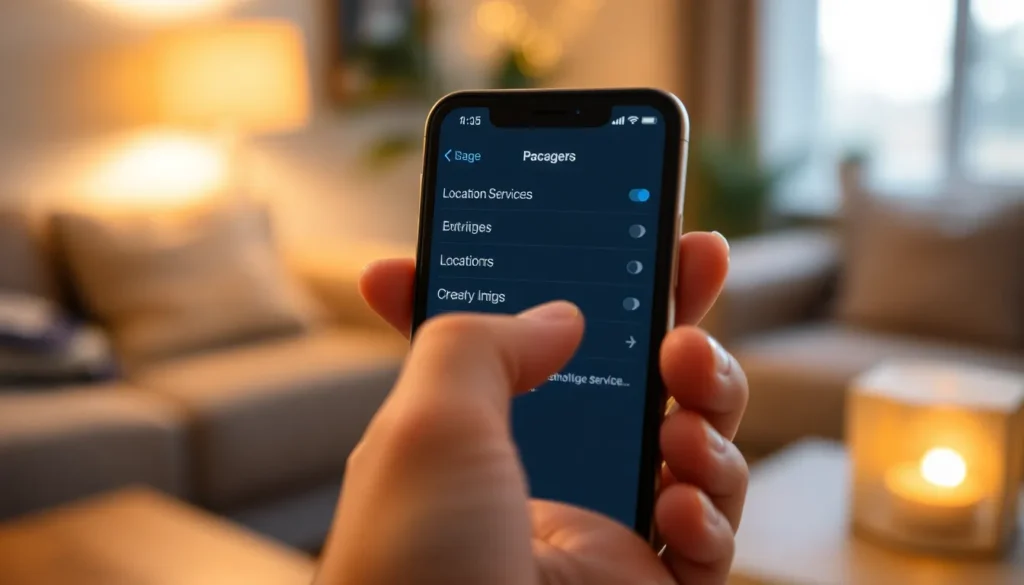
Users can follow several steps to resolve location-sharing issues on the iPhone 15. These troubleshooting tips help ensure all necessary settings align correctly.
Restarting Your iPhone 15
Restarting the iPhone 15 often resolves various issues. To do this, simply press and hold the Side button along with the Volume button until the slider appears. Users should then slide to power off, wait a few seconds, and turn it back on. This action refreshes the system and can restore faulty functions, including location sharing.
Checking Location Settings
Location services must be enabled for proper location sharing. Users can navigate to Settings, then Privacy & Security, and select Location Services. After ensuring that Location Services is turned on, it’s essential to check if the specific app has permission to access location data. Tapping on the app in the list allows users to choose the appropriate permission setting, such as “While Using” or “Always.”
Updating iOS
Updating the iOS can fix existing bugs affecting location sharing. To check for updates, users should go to Settings, then General, and select Software Update. If an update is available, it’s crucial to download and install it promptly. Keeping the iOS updated ensures access to the latest features and security enhancements, improving overall device performance.
Advanced Solutions
For users experiencing difficulties sharing their location on an iPhone 15, advanced solutions can help resolve these persistent issues effectively.
Resetting Location Privacy Settings
Adjusting location privacy settings can often restore the ability to share location. Navigate to Settings, then tap Privacy & Security, and select Location Services. This section allows users to check if Location Services are turned on. If they’re enabled, scroll down to the affected app and ensure permissions are set to “While Using the App” or “Always.” Resetting these permissions may prompt the app to request access again. Once permissions are correctly configured, check whether sharing features return. Performing this step may resolve access-related challenges.
Reinstalling Affected Apps
Uninstalling and reinstalling problematic apps can also rectify location-sharing issues. Tap and hold the app until it wiggles, then tap the delete button to uninstall it. Revisit the App Store to download the app again. After installation, launch the app and ensure it requests location permissions once more. By reestablishing the app’s connection to location services, users often restore functionality. Consider checking for updates after reinstalling to make sure any previous bugs are fixed.
Support Resources
Accessing support resources can significantly assist users facing location-sharing issues on the iPhone 15. Various options are available for effective help.
Apple Support
Apple Support provides a comprehensive solution for users struggling with location-sharing features. Users can visit the official Apple Support website or use the Apple Support app for detailed guides and troubleshooting steps. Live chat and phone support options are available for personalized assistance. Additionally, community forums on Apple’s website offer insights from other users who have experienced similar issues, fostering a collaborative problem-solving environment.
Online Communities
Online communities serve as valuable resources for finding quick solutions to location-sharing difficulties. Platforms like Reddit and Apple-focused forums host discussions on common iPhone 15 problems, including location-related challenges. Users can search for threads addressing their specific issues or create new posts to receive advice. Engaging with experienced community members often leads to effective tips and alternative approaches to resolve concerns efficiently.
Troubleshooting location-sharing issues on the iPhone 15 can be a straightforward process when users understand the key factors at play. By ensuring location services are enabled and app permissions are granted, many problems can be resolved quickly.
If challenges persist, users should not hesitate to explore advanced solutions or seek help from Apple Support and community forums. These resources provide valuable insights and assistance that can lead to a smoother experience when sharing location. With the right approach and tools, users can regain the functionality they need and enjoy seamless location sharing on their iPhone 15.